Most lists of SaaS examples mix everything together: huge enterprise platforms next to consumer apps next to niche tools, with no real structure. That makes it hard to actually learn what SaaS is or find the right tool for a specific job.
This guide does it differently. It starts with SaaS you already use without thinking about it, breaks 25 well-known examples into clear categories, and finishes with what doesn’t count as SaaS — a distinction most guides skip entirely.
What Makes Something SaaS
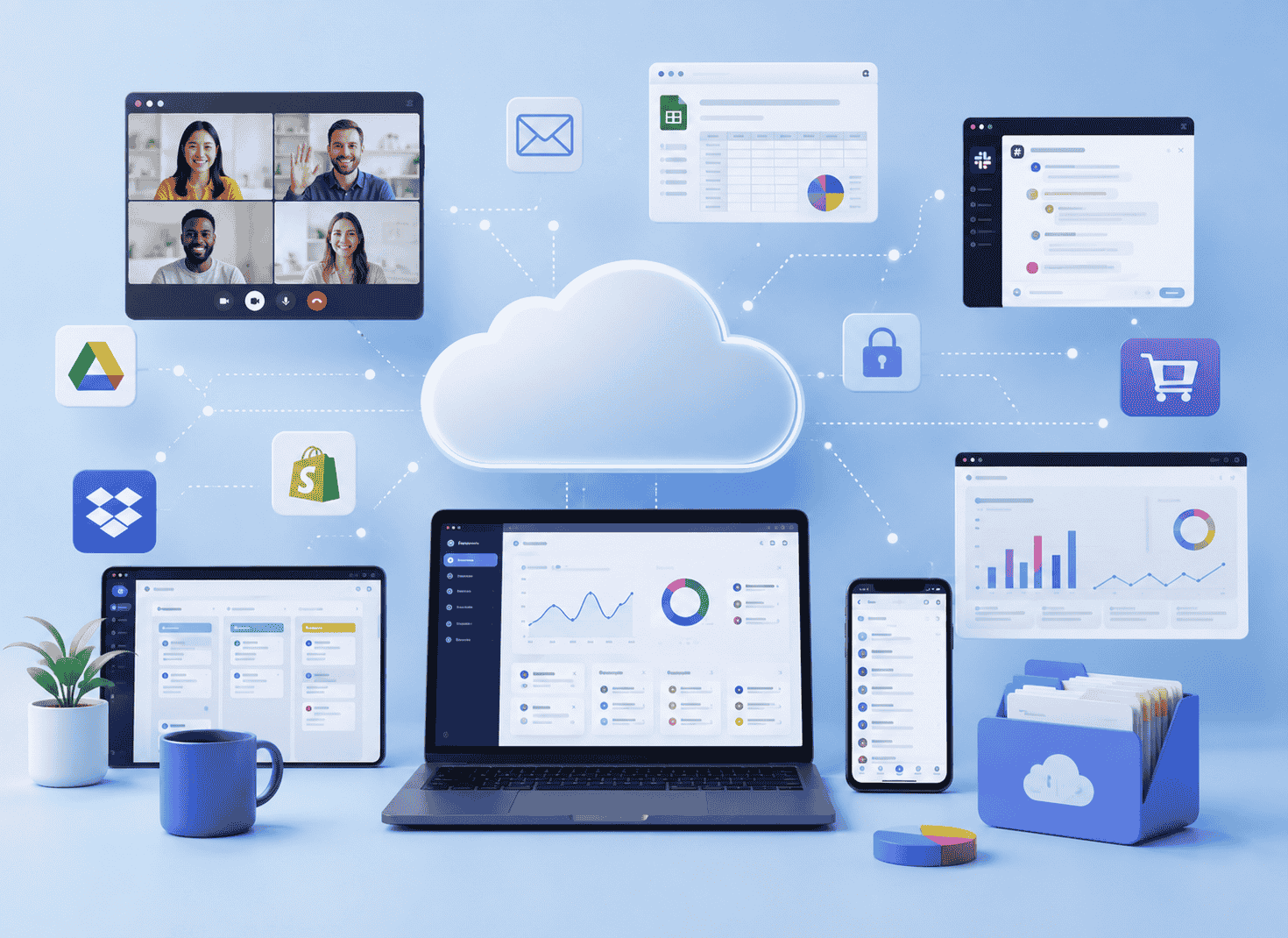
Software as a Service means you access software over the internet instead of installing it on your computer. The company that builds it hosts it, maintains it, and updates it. You pay for access, usually through a subscription, rather than buying a copy outright.
Four traits show up in almost every SaaS product:
- It runs in the cloud. You log in through a browser or app — nothing to download and install locally.
- It’s subscription-based. You pay monthly or annually rather than once.
- Updates happen automatically. You’re always on the latest version without doing anything.
- It’s accessible from anywhere. Switch devices, and your data and account come with you.
If a tool checks those four boxes, it’s SaaS.
SaaS You’re Probably Already Using
Before getting into business tools, it helps to recognize SaaS you likely use every day without labeling it that way.
Netflix is SaaS. You don’t own any films or shows — you pay monthly for access, hosted entirely on Netflix’s servers, available on any device you log into.
Spotify works the same way. No files live on your phone permanently; you’re streaming access to a music catalog you pay to use.
Gmail and Google Workspace are SaaS too. Your email, documents, and spreadsheets live on Google’s servers, not your hard drive, and you access them through a browser from any device.
Once that clicks, it’s easier to spot SaaS everywhere else — including the business tools below.
SaaS Examples by Category
Communication & Collaboration
Slack replaces long email threads with organized, searchable team chat. Channels keep conversations grouped by topic or project, and integrations pull in updates from other tools your team already uses.
Zoom handles video calls and webinars for remote and hybrid teams. It scaled fast because it solved one job well: reliable video calls that don’t require the other person to install anything complicated.
Microsoft Teams combines chat, video calls, and file collaboration, built to work tightly with the rest of Microsoft 365.
Project & Work Management
Asana organizes tasks, deadlines, and team workflows into lists, boards, or timelines, depending on how a team likes to see its work. It’s commonly used by marketing and operations teams that need visibility across several projects running at once.
Trello uses a simple drag-and-drop board format, popular with smaller teams that want something visual without a steep learning curve. Its card-based system makes it easy to see exactly what stage every task is sitting in.
ClickUp combines tasks, docs, and chat into one workspace, aimed at teams that want fewer separate tools. It markets itself as a replacement for several apps at once rather than a single-purpose tool.
Monday.com offers customizable workflow boards used across marketing, ops, sales, and other departments inside one company. Because the boards are so flexible, the same platform often ends up running several unrelated workflows across different teams.
CRM & Sales
Salesforce is the most widely adopted CRM platform, used by sales teams to track leads, manage pipelines, and get a full view of every customer relationship in one place. Larger organizations often run their entire sales, service, and marketing operation through different Salesforce products tied together.
HubSpot combines CRM with marketing and customer service tools, with a free tier that makes it a common starting point for smaller businesses before they scale up. Many companies start on HubSpot’s free CRM and add paid marketing or sales tools as their team grows.
Pipedrive focuses specifically on sales pipeline visibility, designed for sales teams that want a simpler, more visual tool than Salesforce. It’s built around the idea that salespeople should be able to see exactly where every deal stands at a glance, without digging through menus.
Zoho CRM offers similar core functionality to Salesforce at a lower price point, often chosen by small and mid-sized businesses that want CRM features without enterprise-level cost or complexity.
Marketing & Email
Mailchimp handles email campaigns, automated sequences, and audience segmentation, and remains one of the most recognized names in email marketing.
Klaviyo focuses on e-commerce brands specifically, syncing with online stores to trigger emails based on customer behavior like abandoned carts.
Canva isn’t just design software — it’s SaaS for creating marketing graphics, social posts, and presentations without needing design training.
Finance & Accounting
QuickBooks Online moved traditional accounting software into the cloud, letting small businesses manage invoices, expenses, and payroll from a browser instead of a desktop install.
FreshBooks targets freelancers and small service businesses specifically, with a simpler interface focused on invoicing and time tracking.
Stripe processes online payments for businesses of every size, and operates as SaaS itself — businesses integrate it rather than build payment infrastructure from scratch.
HR & People Operations
Gusto handles payroll, benefits, and onboarding for small and mid-sized businesses, replacing manual payroll runs with an automated, compliant system.
BambooHR centralizes employee records, time-off tracking, and onboarding workflows for growing companies that have outgrown spreadsheets.
Customer Support
Zendesk organizes customer support tickets, live chat, and a searchable help center into one system, used by support teams across nearly every industry.
Intercom combines live chat with automated messaging, often used by SaaS companies themselves to support their own customers.
Storage & File Sharing
Dropbox started as simple cloud file storage and has expanded into broader team collaboration, but its core SaaS function — access your files from anywhere — hasn’t changed.
Google Drive offers the same cloud storage model, tightly integrated with the rest of Google Workspace.
E-commerce
Shopify lets anyone launch an online store without building their own infrastructure, handling hosting, payments, and inventory through one subscription platform. It’s used by everything from solo sellers to large brands, scaling through different pricing tiers as a store grows.
BigCommerce offers similar core functionality to Shopify, often chosen by mid-sized and larger retailers that need more built-in flexibility for complex catalogs without relying as heavily on third-party apps.
Design & Development
Figma brought collaborative design into the browser, letting multiple people edit the same interface mockup in real time — something desktop design software never offered. Design and engineering teams use it together to move from concept to a build-ready file without switching tools.
GitHub hosts code repositories and manages version control in the cloud, and counts as SaaS even though its audience is developers rather than marketers or salespeople. Teams use it to collaborate on code, track changes, and manage software projects from anywhere.
What’s Not SaaS
Understanding what falls outside SaaS sharpens the definition more than another list of examples ever could.
Software you buy once and install isn’t SaaS, even if it’s useful and well-made. A one-time-purchase desktop app with no subscription and no cloud sync doesn’t fit the model, regardless of quality.
On-premise enterprise software that a company installs and manages on its own servers isn’t SaaS either, even if it does similar things to a cloud alternative. The defining difference is who hosts and maintains it.
Hardware obviously isn’t SaaS, but it’s worth naming because the line blurs with smart devices. A smart thermostat itself is hardware; the app and cloud service that controls it is the SaaS layer riding on top of it.
PaaS and IaaS are related but distinct. Platform as a Service (think Heroku) gives developers a framework to build their own applications. Infrastructure as a Service (think AWS, Azure) provides raw computing power and storage. Both are cloud models, but neither hands you finished, ready-to-use software the way SaaS does.
Micro-SaaS and Niche Examples
Not every SaaS product aims to be the next Salesforce. A growing slice of the market is micro-SaaS: small, focused tools built by a tiny team to solve one specific problem for a specific audience.
Plausible Analytics is a lightweight, privacy-focused alternative to Google Analytics, built for website owners who want simple traffic data without the complexity — or privacy compliance headaches — of a full analytics suite.
Fathom Analytics follows a similar model: one screen of essential traffic data, aimed at small businesses and bloggers who don’t need (or want) Google’s full feature set.
These tools matter for understanding SaaS as a whole because they show the model scales down, not just up. You don’t need a massive engineering team to build SaaS — you need a specific problem and people willing to pay a recurring fee to have it solved.
Common Questions About SaaS Examples
Is Microsoft 365 the same as SaaS, or is it different from on-premise Office? Microsoft 365 is SaaS. The older, boxed version of Microsoft Office that you installed once and owned outright was not. The shift from “buy once” Office to subscription-based Microsoft 365, accessed and updated in the cloud, is itself a clear example of a company moving a product from traditional software into the SaaS model.
Are Facebook, Instagram, or X considered SaaS? This one is genuinely debated. They’re cloud-based and accessed through a browser or app, which fits part of the definition. But they’re free to use and monetized through advertising rather than subscriptions, which is the core trait most definitions of SaaS rely on. Most analysts place them in a separate category — consumer internet platforms — rather than classic SaaS, even though the technical delivery looks similar.
What’s the difference between a SaaS example and a SaaS company? A SaaS example usually refers to the product itself — Slack, the app you use. A SaaS company refers to the business behind it. Sometimes one company runs multiple SaaS products (Google runs Gmail, Drive, and Workspace as separate but connected SaaS examples), so the two terms aren’t always interchangeable.
Can a free tool still be a SaaS example? Yes. Many SaaS products use a freemium model — a free tier with limited features, and paid tiers that unlock more. Trello, HubSpot’s CRM, and Canva all offer usable free versions while still operating on the same subscription-based, cloud-hosted SaaS model at their paid tiers.
The Pattern Worth Remembering
Every example here, big or small, follows the same shape: software hosted somewhere else, accessed through a browser or app, paid for on a recurring basis, and updated without you doing anything. Once you can spot that pattern, you’ll notice it in tools you hadn’t thought to categorize before — and you’ll have a clearer sense of where a gap in your own toolkit might be worth filling.