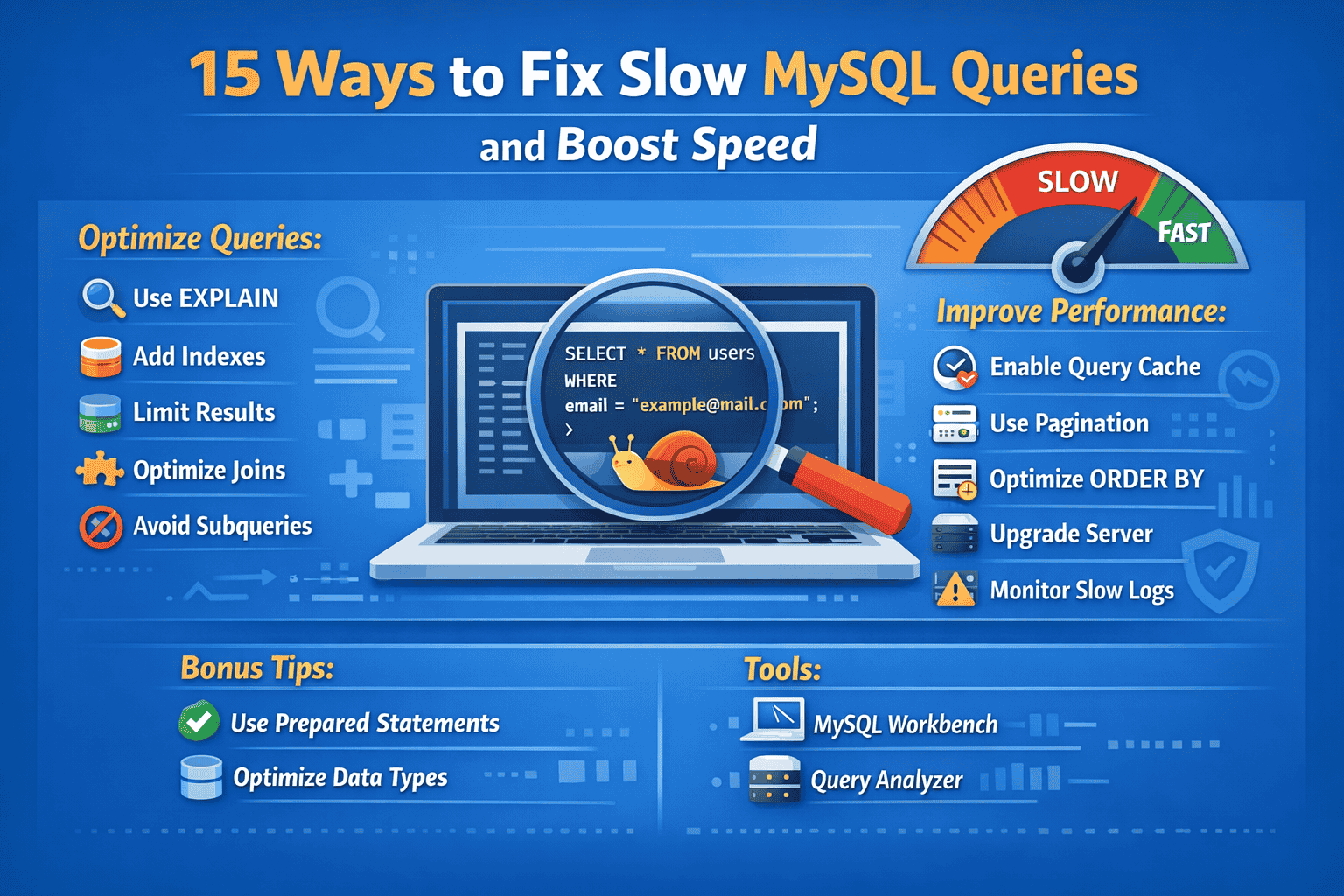
Slow queries are one of the most common causes of poor application performance. If your website or app feels sluggish, the database is often the bottleneck. But Fortunately, you can fix slow MySQL queries with the right strategies, tools, and best practices.
In this comprehensive guide, you’ll learn 15 powerful ways to fix slow MySQL queries, improve database performance, and deliver a faster user experience. Whether you’re a beginner or an experienced developer, these techniques will help you optimize your queries effectively.
Why MySQL Queries Become Slow
Before jumping into solutions, it’s important to understand the root causes.
Slow MySQL queries typically happen due to:
- Poor query structure
- Missing or incorrect indexes
- Large datasets
- Inefficient joins
- Server limitations
Therefore, identifying the problem is the first step toward fixing it.
1. Use EXPLAIN to Analyze Queries
First and foremost, always analyze your queries using the EXPLAIN statement.
EXPLAIN SELECT * FROM users WHERE email = 'test@example.com';
This command shows how MySQL executes your query. As a result, you can identify inefficiencies such as full table scans or missing indexes.
👉 Tip: Focus on columns like type, rows, and possible_keys.
2. Add Proper Indexes
Indexes are essential to fix slow MySQL queries. Without them, MySQL scans entire tables, which is extremely slow.
Best Practices:
- Index frequently searched columns
- Use composite indexes for multiple columns
- Avoid over-indexing
For example:
CREATE INDEX idx_email ON users(email);
As a result, query execution becomes significantly faster.
3. Avoid SELECT *
Although it seems convenient, using SELECT * is inefficient.
Instead, select only the required columns:
SELECT name, email FROM users;
This reduces data transfer and improves performance.
4. Optimize WHERE Clauses
Your WHERE clause plays a critical role in query speed.
Tips:
- Use indexed columns
- Avoid functions in conditions
- Keep comparisons simple
❌ Bad:
WHERE YEAR(created_at) = 2024;
✅ Good:
WHERE created_at BETWEEN '2024-01-01' AND '2024-12-31';
Thus, MySQL can use indexes efficiently.
5. Limit the Result Set
Fetching too many rows slows down queries.
Use LIMIT to control output:
SELECT * FROM orders LIMIT 10;
This is especially useful for pagination and dashboards.
6. Optimize JOIN Operations
Joins are often the biggest performance killers.
Best Practices:
- Join on indexed columns
- Use INNER JOIN instead of OUTER JOIN when possible
- Reduce the number of joins
Additionally, ensure that joined columns have the same data type.
7. Use Proper Data Types
Choosing the right data types improves performance.
Examples:
- Use
INTinstead ofVARCHARfor numbers - Use
DATEinstead ofSTRINGfor dates
Smaller data types reduce storage and speed up queries.
8. Avoid Subqueries When Possible
Subqueries can slow down execution.
Instead, use joins:
❌ Subquery:
SELECT * FROM orders WHERE user_id IN (SELECT id FROM users);
✅ Join:
SELECT orders.* FROM orders
JOIN users ON orders.user_id = users.id;
As a result, queries run faster and more efficiently.
9. Enable Query Caching
Caching stores query results so they don’t need to be recomputed.
Benefits:
- Reduces database load
- Speeds up repeated queries
However, use caching carefully for frequently changing data.
10. Optimize ORDER BY and GROUP BY
Sorting and grouping operations can be expensive.
Tips:
- Use indexes on sorted columns
- Avoid sorting large datasets unnecessarily
- Limit results before sorting
This significantly reduces processing time.
11. Use Pagination Instead of Large Fetches
Instead of loading all data at once, use pagination:
SELECT * FROM products LIMIT 10 OFFSET 0;
This improves both performance and user experience.
12. Regularly Optimize Tables
Over time, tables become fragmented.
Use:
OPTIMIZE TABLE users;
This reorganizes data and improves performance.
13. Monitor Slow Query Logs
MySQL provides a slow query log feature.
Steps:
- Enable slow query logging
- Analyze queries taking too long
- Optimize them accordingly
This helps you continuously fix slow MySQL queries.
14. Increase Server Resources
Sometimes, the issue is not the query but the server.
Consider upgrading:
- RAM
- CPU
- Disk speed (SSD over HDD)
Better hardware improves overall performance.
15. Use Connection Pooling
Opening and closing connections frequently slows down applications.
Connection pooling reuses connections, reducing overhead and improving speed.
16. Improve Cloud Security
Cyber threats are evolving rapidly, and cloud environments are a prime target. This is where understanding and implementing effective cloud security tips is essential.
Bonus Tips to Boost Query Performance
In addition to the 15 methods above, consider these extra tips:
- Use prepared statements
- Avoid unnecessary triggers
- Normalize or denormalize wisely
- Keep transactions short
- Regularly update database statistics
Common Mistakes to Avoid
Even when trying to fix slow MySQL queries, developers often make mistakes.
1. Over-Indexing
Too many indexes slow down insert and update operations.
2. Ignoring Query Plans
Skipping analysis leads to poor optimization decisions.
3. Fetching Unnecessary Data
Always retrieve only what you need.
4. Poor Schema Design
Bad structure leads to inefficient queries.
Real-World Example
Let’s look at a practical scenario.
Problem:
A query takes 5 seconds to execute:
SELECT * FROM users WHERE email = 'test@example.com';
Solution:
- Add an index on
email - Avoid
SELECT *
Optimized Query:
SELECT name, email FROM users WHERE email = 'test@example.com';
Result:
Execution time drops to milliseconds.
Tools to Help Fix Slow MySQL Queries
Using the right tools can make optimization easier.
Popular Tools:
- MySQL Workbench
- phpMyAdmin
- Query Analyzer tools
- Performance Schema
These tools help you identify bottlenecks and improve performance efficiently.
How to Build a Long-Term Optimization Strategy
Fixing slow queries is not a one-time task.
Instead, follow a continuous approach:
- Monitor performance regularly
- Analyze slow queries
- Apply optimization techniques
- Test improvements
- Repeat
This ensures consistent performance over time.
Final Thoughts
Fixing slow MySQL queries is essential for building fast, scalable, and reliable applications. By applying the techniques outlined above, you can dramatically improve query performance and user experience.
Remember, optimization is not just about speed—it’s about efficiency, scalability, and long-term success. Therefore, always monitor your database, refine your queries, and stay updated with best practices.