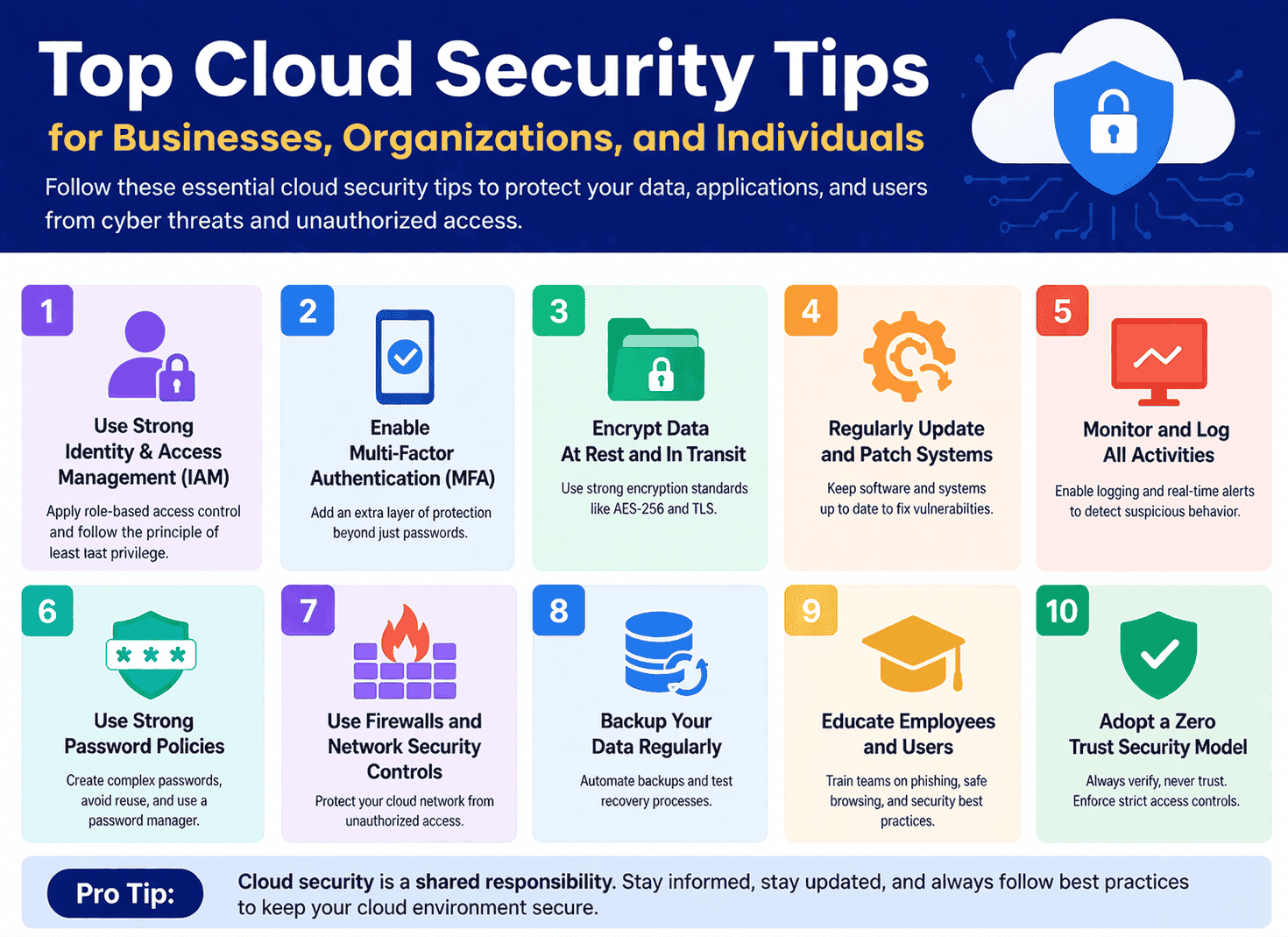
Cloud computing has transformed how we store, manage, and access data. However, with this growing dependency comes a critical responsibility: keeping your data secure. Cyber threats are evolving rapidly, and cloud environments are a prime target. A single vulnerability can lead to data breaches, financial loss, and reputational damage. That’s why understanding and implementing effective cloud security tips is no longer optional, it’s essential.
In this comprehensive guide, you’ll discover practical, expert-backed cloud security tips that help businesses, organizations, and individuals protect their digital assets.
What Is Cloud Security? (Quick Overview)
Cloud security refers to a set of technologies, policies, controls, and practices designed to protect cloud-based systems, data, and infrastructure.
It covers:
- Data protection
- Identity and access management
- Network security
- Application security
- Compliance and governance
Whether you’re using public, private, or hybrid cloud environments, these layers work together to minimize risks.
Why Cloud Security Matters More Than Ever
Before diving into tips, it’s important to understand why cloud security is critical:
- Rising cyberattacks targeting cloud systems
- Remote work expansion increasing exposure
- Sensitive data storage in cloud environments
- Regulatory requirements like GDPR and ISO standards
Ignoring cloud security can lead to:
- Data breaches
- Financial loss
- Legal penalties
- Loss of customer trust
Top Cloud Security Tips You Must Follow
Let’s explore the most effective and actionable cloud security tips.
1. Use Strong Identity and Access Management (IAM)
Identity and Access Management is the foundation of cloud security.
Best Practices:
- Assign role-based access control (RBAC)
- Follow the principle of least privilege (PoLP)
- Regularly review user permissions
👉 Only give users access to what they absolutely need.
2. Enable Multi-Factor Authentication (MFA)
Passwords alone are not enough anymore.
Why MFA matters:
- Adds an extra layer of protection
- Prevents unauthorized access even if passwords are stolen
Examples:
- OTP codes
- Biometric verification
- Authentication apps
3. Encrypt Your Data (At Rest and In Transit)
Encryption ensures that even if data is intercepted, it remains unreadable.
Focus on:
- Data at rest (stored data)
- Data in transit (data being transferred)
Use strong encryption standards like:
- AES-256
- TLS protocols
4. Regularly Update and Patch Systems
Outdated systems are one of the biggest security risks.
Tips:
- Apply patches immediately
- Automate updates when possible
- Monitor for vulnerabilities
👉 Hackers often exploit known weaknesses in outdated software.
5. Monitor and Log All Activities
Visibility is key to cloud security.
What to do:
- Enable logging for all cloud services
- Use monitoring tools to detect unusual activity
- Set up real-time alerts
This helps in early detection of potential threats.
6. Secure Your APIs and Interfaces
Cloud services rely heavily on APIs.
Risks:
- Weak authentication
- Poor coding practices
Solutions:
- Use secure API gateways
- Implement authentication tokens
- Regularly test APIs for vulnerabilities
7. Backup Your Data Regularly
Data loss can happen due to:
- Cyberattacks
- Human error
- System failures
Best practices:
- Use automated backups
- Store backups in multiple locations
- Test recovery processes
8. Implement a Strong Password Policy
Weak passwords are a major vulnerability.
Guidelines:
- Use long, complex passwords
- Avoid reuse across platforms
- Change passwords periodically
Consider using a password manager for better security.
9. Use Firewalls and Network Security Controls
Protect your cloud network from unauthorized access.
Key tools:
- Firewalls
- Intrusion Detection Systems (IDS)
- Intrusion Prevention Systems (IPS)
10. Educate Employees and Users
Human error is one of the leading causes of security breaches.
Training should cover:
- Phishing awareness
- Safe browsing practices
- Password hygiene
👉 A well-informed user is your first line of defense.
11. Adopt a Zero Trust Security Model
Zero Trust means:
“Never trust, always verify.”
Key principles:
- Continuous authentication
- Strict access controls
- Device verification
This model significantly reduces insider and external threats.
12. Secure Endpoints and Devices
Every connected device can be a potential entry point.
Tips:
- Use antivirus software
- Keep devices updated
- Restrict access from unknown devices
13. Conduct Regular Security Audits
Audits help identify weaknesses before attackers do.
Include:
- Vulnerability assessments
- Penetration testing
- Compliance checks
14. Use Trusted Cloud Service Providers
Choose providers with strong security standards.
Look for:
- Compliance certifications
- Built-in security features
- Transparent policies
15. Implement Data Loss Prevention (DLP)
DLP tools help prevent sensitive data leaks.
They can:
- Detect unauthorized data sharing
- Block suspicious activities
- Monitor data movement
16. Segment Your Network
Network segmentation limits the spread of attacks.
Benefits:
- Isolates sensitive data
- Reduces risk exposure
- Improves control
17. Set Up Incident Response Plans
No system is 100% secure.
Be prepared:
- Create a response strategy
- Assign roles and responsibilities
- Test your plan regularly
18. Use Secure Configuration Settings
Misconfigurations are a common cause of breaches.
Avoid:
- Open storage buckets
- Default credentials
- Unrestricted access
Always review configurations carefully.
19. Limit Third-Party Access
Third-party integrations can introduce risks.
Tips:
- Review vendor security policies
- Limit access permissions
- Monitor third-party activity
20. Stay Updated on Security Trends
Cyber threats evolve constantly.
Stay informed:
- Follow cybersecurity news
- Update your strategies regularly
- Adopt new technologies when needed
Cloud Security Tips for Different Users
1. For Businesses
- Implement enterprise-grade security tools
- Train employees regularly
- Ensure compliance with regulations
2. For Organizations
- Focus on governance and risk management
- Conduct regular audits
- Use centralized security systems
3. For Individuals
- Enable MFA on all accounts
- Avoid public Wi-Fi for sensitive tasks
- Use secure cloud storage services
Common Cloud Security Mistakes to Avoid
Avoid these pitfalls:
- Using weak passwords
- Ignoring updates
- Misconfiguring cloud settings
- Not backing up data
- Overlooking user training
Future of Cloud Security
Cloud security is evolving with technologies like:
- Artificial Intelligence (AI)
- Machine Learning (ML)
- Automation tools
Future trends include:
- Predictive threat detection
- Automated response systems
- Stronger compliance frameworks
Conclusion
Cloud computing offers unmatched flexibility and efficiency—but it also demands strong security practices. By following these top cloud security tips, you can significantly reduce risks and protect your data from modern threats.
Whether you’re a business owner, part of an organization, or an individual user, implementing these strategies will help you build a secure and resilient cloud environment.
FAQS
The most important tips include enabling MFA, using strong passwords, encrypting data, and regularly updating systems.
Businesses should implement IAM, conduct audits, train employees, and use advanced security tools.
Yes, if proper security measures like MFA and encryption are used.
Misconfiguration and weak access controls are among the biggest risks.