It can feel like a difficult task for small businesses to develop a recognizable brand. You need content for different things ranging from social media to product pages and ads to websites and customer communication. Video can bring all of these areas together. However, traditional video production often requires plenty of time and resources.
AI video tools are changing that process. Small teams can turn a written idea into a finished video with fewer resources using AI video generators. This makes video content more practical for businesses that may not have a designer or video editor on staff.
One platform that can help with this process is Vidnoz AI. It offers multiple features and ready-made templates. These can give small businesses a way to create different types of branded videos without building a full production setup.
Vidnoz AI: A Simple Video Studio for Small Brands
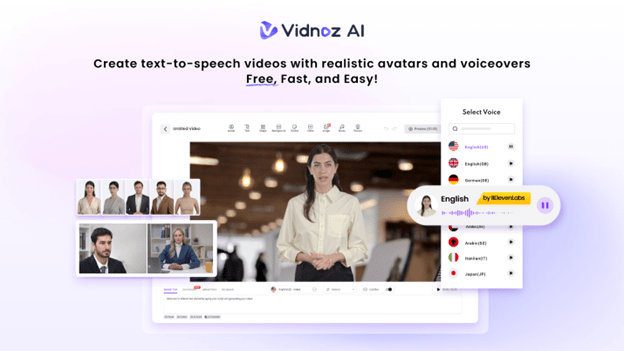
Vidnoz AI is an online AI video creation platform which is created to help users develop videos without professional video creation or editing skills. It offers multiple features ranging from 1,900+ AI avatars to 2,000+ voices and 2,800+ video templates.
Another important point is information security for small businesses. Vidnoz AI achieved ISO/IEC 27001:2022 certification. It is an international standard for information security management systems. The certification is giving businesses an additional reason to consider the platform when working with company information.
Businesses can explore the Vidnoz AI video generator to turn ideas, scripts, and other content into videos. The platform also provides free access to get started with 30 credits for free.
Why Video Matters for a Small Business Brand?
A brand is more than a logo or business name. It is the way customers recognize and remember a company. Video gives small businesses another way to build that recognition.
A short introduction can show the people behind a company. A product video can explain how something works. A customer FAQ can answer common questions. Social clips can keep the business visible between purchases.
However, the main challenge is producing enough content to stay active.
This is where AI video creation can be useful. Instead of spending days arranging a shoot for every small update, a business can create a script, select a format, add its branding, and produce a video from the same basic workflow.
Key Features That Vidnoz AI Brings to a Small Business
Here are some amazing features of Vidnoz AI you need to know.
A Large Collection of AI Voices
Vidnoz AI offers 2,000+ AI voices, giving businesses many options for narration and presentations. The voices can support different languages and communication styles, which can be useful when a brand serves customers across different markets.
Lip-sync capabilities also connect the selected voice with an AI presenter, creating a more natural presentation.
More Than 2,800 Ready-Made Templates
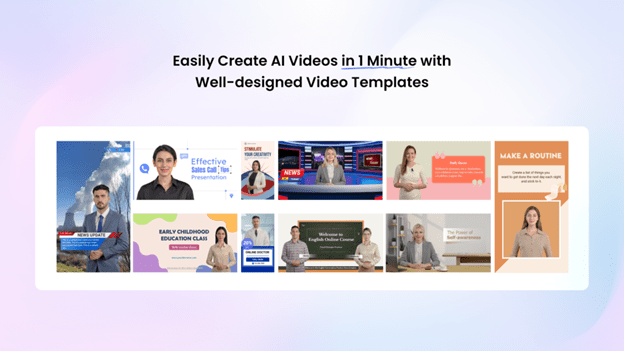
Starting every video from scratch can slow down a small marketing team. Vidnoz AI also provides 2,800+ templates. These are covering areas such as marketing, sales, education, communication, and social media.
A template gives you a starting structure. You can then replace its different elements to fit the business.
1,900+ AI Avatars for Different Brand Styles
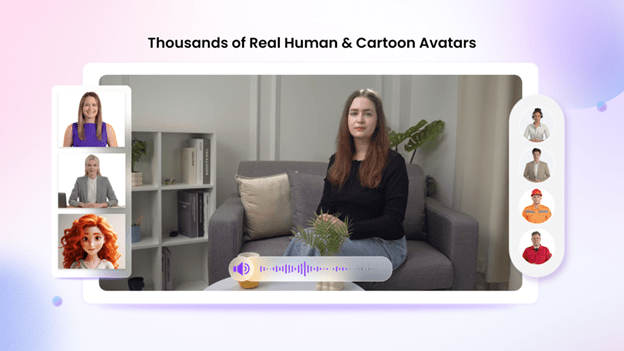
Vidnoz AI offers 1,900+ AI avatars representing different ages, appearances, professions, and styles. A small business can select an appropriate presenter instead of hiring someone for every video.
- Avatar Lite can be useful when you want to create a presenter quickly.
- While Custom Avatar Pro provides deeper options for creating a digital version of a person or brand representative.
- Expressive Avatars with natural gestures and facial movements can also make presentations feel less static.
- Motion Avatars add body movement, gestures, posture, and expressions. These can be used in different visual styles.
Custom avatar options can also help create a consistent presenter across different videos for brands that want a familiar spokesperson.
Free Credits to Test the Workflow
Small businesses often need to watch their spending carefully. Vidnoz AI currently lets new users get 30 credits for free. These are providing a way to explore the platform before deciding how it fits into a larger content workflow.
That can be useful for testing several formats without spending anything.
How to Create a Branded Video with Vidnoz AI?
Creating a video does not have to involve a long editing process. Here is a simple four-stage workflow.
Start with Your Business Idea
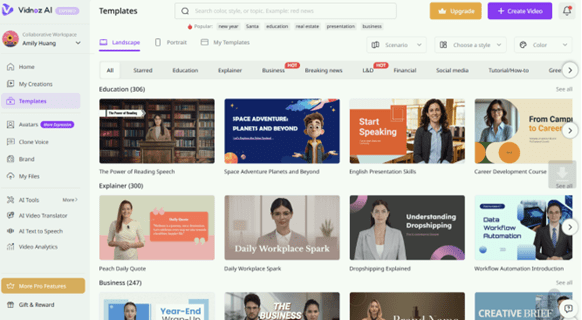
Write down the main point you want customers to remember. Keep the idea focused instead of trying to explain everything in one video. Open Vidnoz AI, choose the video creation option that fits your project, and prepare a short script.
Pick the Right Template or Avatar
You can browse the collection of available templates to find a design that matches the type of content you need to make. You can then choose an AI avatar that can be voice of your brand. Then you should select a suitable voice and language for your potential audience.
Add Your Brand Elements
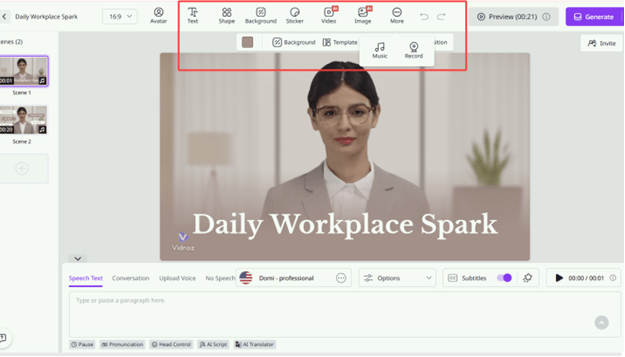
You can then add your branding elements to the video for improving your brand identity. It is important to keep the layout clean and avoid filling every scene with a lot of information.
Generate, Review, and Publish
Once you have completed every step then you can click the generate button. However, it is always important to watch and review your generated video content before you are going to publish it anywhere. Check every element and share it to different platforms when you are sure that everything looks right.
A Few Smart Practices for Better Brand Videos
Here we have some quick tips to create brand videos.
- Keep the message short. One video should usually focus on one clear idea.
- Use a strong opening. Tell viewers quickly what they will learn or why the video matters.
- Add captions. Many people watch social content without sound, so on-screen text can help communicate the message.
- Finish with an action. Tell viewers what to do next, such as visiting a product page, subscribing, requesting information, or trying a service.
- Build repeatable formats. Create recurring series such as Quick Tips, Product of the Week, or Common Questions. This makes future content easier to plan.
Final Thoughts
Small businesses do not need a large production department to make video part of their marketing strategy. The bigger challenge is having a repeatable way to turn ideas into useful content. For a small brand, the real value is the ability to keep creating. A single product update can become a video. A customer question can become a tutorial. A blog post can become a social clip.
Over time, these individual videos can form a recognizable content style and give the business more opportunities to stay in front of its audience.