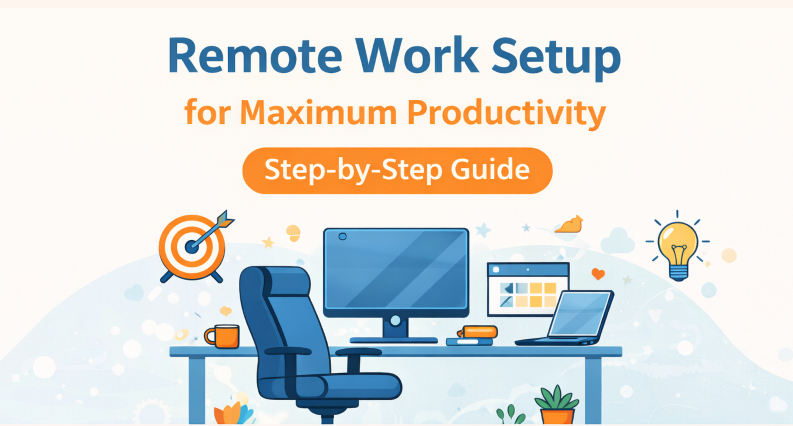
A home office does not need a complete redesign to become easier to use. Often the most useful changes are smaller: a desk positioned away from glare, a lamp that lights the work rather than the whole room, a place for chargers, and enough accessible power for the equipment that matters.
Start by identifying the moments when the workspace creates friction. Is a cable stretched across the floor? Do you move a laptop charger between rooms every evening? Does the desk light stay on because its switch is awkward to reach? Fixing those repeated annoyances will usually improve the room more than buying another decorative accessory.
Put the desk where work happens well
Choose a position that gives you a comfortable view and manageable daylight. A window beside the desk often reduces screen glare compared with one directly behind or in front of the monitor. Leave room to stand, open drawers, and reach the primary wall outlet.
If the best desk position is far from power, do not immediately solve it with a long cord across a walkway. Reconsider the furniture arrangement first. If the space is used permanently for work and outlets are consistently inadequate, a qualified electrician can assess whether a new receptacle is the right long-term change.
Separate essential power from convenience
List everything the workspace uses. A computer, router, task light, phone charger, monitor, and printer do not all need the same treatment. Essential equipment should be easy to identify and should not be included in a schedule that could interrupt work. A lamp or other approved convenience device may benefit from simple on and off control.
Connected power is useful when it removes a specific task. LinkVolt’s smart plugs and power strips include app-based control, schedules, timers, and compatible voice commands. Before using those features, check whether the device will resume the expected state after power is restored and whether its load fits the product rating.

Give cables a predictable route
A tidy desk is easier to maintain when each cable has a destination. Place the charging point close enough to the work surface that phones do not end up on the floor. Guide cords along the back of the desk with removable clips, leaving enough slack to adjust the monitor or move the chair.
Keep power accessories visible enough to inspect and unplug. A closed box full of adapters may look neat but can make heat, damage, or a loose connection harder to notice. Never run a cord under a rug or through a door.
Build a routine the room can support
At the end of a workday, closing the laptop, clearing one surface, and turning off a task light can make the next morning easier. If a schedule helps with a nonessential device, keep it simple and test it. If it creates confusion for anyone else who uses the room, manual control may be the better choice.
The broader LinkVolt catalog spans smart power, surge protection, and outdoor power. That range illustrates a useful buying principle: choose the product category after defining the task, not before.
Make lighting work at different hours
Daylight changes across the workday. A desk that feels comfortable in the morning may create glare in late afternoon, while a single overhead light may be too flat for detailed work after dark. Try moving the monitor first, then add a task lamp that can light papers and the keyboard without shining into the screen.
The placement of the lamp should be part of the power plan. If its cord must stretch across the desk or pass behind the chair, a different lamp position or furniture arrangement may be better than another accessory. Comfortable lighting is a practical setup decision, not just a visual one.
Plan for the occasional second user
Many home offices are shared, even if only part of the week. A partner may need a video call, or a child may need a supervised homework spot. Identify which equipment is personal and which is shared. Keep the primary computer’s connections stable while making a separate, easy-to-reach charging place for occasional use.
A small label or cable clip can prevent the wrong adapter from being unplugged. When the second user has a clear place to charge, the room is less likely to accumulate temporary cords that eventually become permanent clutter.
Spend on the problem you actually have
An ergonomic chair may matter more than a new gadget if discomfort ends the workday early. Better task lighting may matter more than a larger desk if papers are hard to see. And a safe, accessible power plan may matter more than either if every work session starts by moving plugs around.
A productive home office is not the one with the most technology. It is the one where the essential tools are comfortable, reachable, and reliable enough to fade into the background.