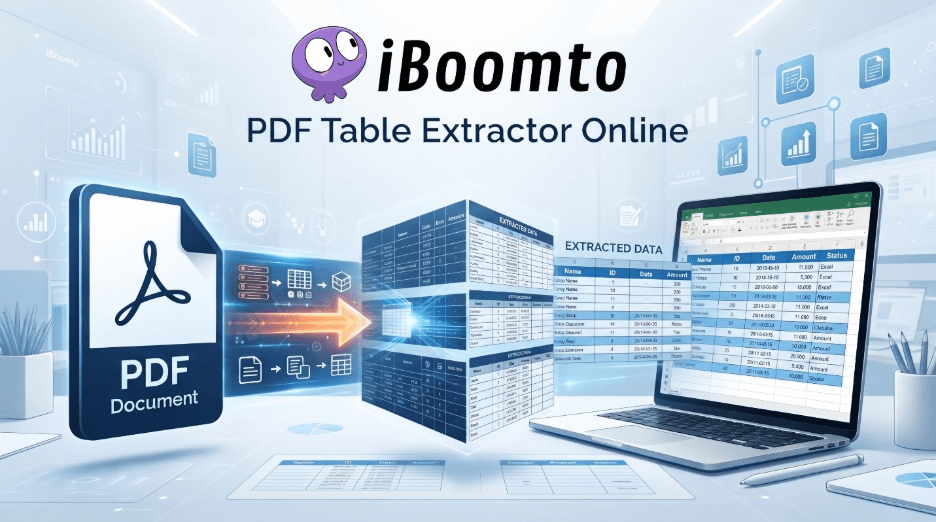
PDFs are good for preserving document appearance, but they can be less convenient when you need to access the information they contain. For instance, tables are a prime example: they might include rows and columns in a financial report, a research paper, a product list, or an academic article that are useful, but copying that information manually can be time-consuming.
That’s exactly why the https://www.iboomto.com/ PDF Table Extractor is useful. It is an AI agent aimed at dealing with documentation, as it turns the data found in PDF tables into more useful information. The program is intended to make it easier to view and work with the content of a PDF rather than simply viewing it.
Turning Tables Into Usable Information
One of the main benefits of iBoomto is that it greatly reduces the amount of manual work involved in extracting data from tables. Nowadays, users are able to make use of an AI-driven workflow to identify and extract information from tables without needing to select individual cells and copy and paste them over and over again.
It is very useful in the case of documents containing multiple tables. For example, in research papers, lab reports, or study materials, students may encounter tables, and in business situations, knowledge workers might have to deal with technical documentation, surveys, business reports, and invoices.
It is still worthwhile making a quick check of the table once the information has been extracted, especially if the table is complicated, has combined cells, an odd layout, or contains unclear text. AI extraction should be used to supplement the initial screening rather than to replace it.
Online Convenience and Windows Support
What I enjoy about iBoomto is the fact that it is very versatile and can be used easily in its online environment, meaning that there’s no need for a complicated setup to get it working. It will save you time if you occasionally need to obtain information from a PDF file, since in that case you’ll avoid having to install another application.
For users of Windows who regularly manage documents, the on-device option provides an alternative workflow. If the documents are stored on the local computer and your workflow is basically a desktop-type one, it is easier to work directly with the computer.
iBoomto is more useful in both cases. When a single person is dealing with one PDF, an online alternative is the better solution, but in the context of a standard documentation workflow, the Windows environment is a good option.
Saving Time on Repetitive Documentation
The most significant advantage becomes clear when you consider how long it can take to manually extract data into table form. Even with a fairly small table, it can be very frustrating if the formatting does not come out correctly when it is copied. The larger the document, the more serious the problem becomes.
iBoomto will get rid of this repetitive work by converting Table data into a more useful format, making it easier to view, arrange, modify, or use the information elsewhere.
It is possible to simplify the process of gathering information from reports or of preparing data for analysis, thus helping knowledge workers. Students can use this approach when collecting data, when comparing research findings, or when putting together data from different sources. The benefit is not simply in removing a table, but in the time that will be saved when getting the information ready for the next stage.
A Free Plan for Everyday Needs
Another advantage of the service is that it offers a very generous free plan. Suppose you only occasionally need to extract tables from documents; in that case, you probably wouldn’t want to sign up for a paid subscription, particularly since the number of documents you need to process is not great.
A large number of the tasks that people are required to carry out as part of their daily work can be carried out quite well using free resources, and users are able to access the workflow and carry out useful work without having to pay for it right away. Although individuals with greater demands may eventually need more capacity, those who aren’t necessarily heavy users have a good opportunity to find out if the tool works in their own workflow before deciding to subscribe.
Privacy Is an Important Consideration
A major problem concerning document processing is deciding what to do with the files that are being processed; this becomes especially important when the PDFs contain any academic research, business information, personal records, or other sensitive material.
iBoomto’s method of providing documentation places a strong emphasis on privacy and security; furthermore, the Windows option that works on the device may draw in users who prefer to work more directly with their files on their computers.
Yet users have to check the existing privacy laws and the way in which data is being processed before handling highly confidential documents; when choosing an AI documentation tool, convenience must never be given up since security should always be considered.
No Account, Less Friction
A practical feature is the absence of the need to have an account. Unlike the case with most services, which demand that users register before they can use them, iBoomto has been constructed in such a way that users do not have to register in order to use it.
It is reasonable in the case of things that are carried out irregularly. When a person receives a PDF containing only a few tables, and all they want to do is obtain the information, setting up an account can appear to be a nuisance. By getting rid of that step, the process is sped up, and the focus is placed on the actual task of documenting.
Conclusion
iBoomto extract table from PDF is a useful tool when dealing with a common and practical documentation problem—that is, it can be difficult to extract information that is useful for reuse from a table in a PDF document. The tool enables the automation of repetitive copying operations and helps to smooth out document-related workflows by making use of AI in the extraction process.
Because of its online access and the way it works with Windows, together with the fact that the free version is very functional in everyday use, it provides a high degree of flexibility. Students and knowledge workers in particular can make use of the feature that allows them to regularly collect and reorganise PDF files.
It cannot take the place of checking important data, and in some cases tables will have to be corrected by hand; but for simple extraction and documentation work, it does offer a convenient method of converting standard PDF tables into useful, manageable, and extensible information.